Price terms as published
Each line is the vendor’s own wording, split from the price capture checked on 2026-09-21. Nothing here is rounded, converted or re-worded — the full sentences stay in the review below. Lines that carry only a price continue the plan named on the line above, in the vendor’s own order.
| # | Plan / term | Checked |
|---|---|---|
| 1 | Free for individuals and small teams | 2026-09-21 |
| 2 | paid company licensing | 2026-09-21 |
One-liner: Remotion is a framework for creating real videos using React: your components render frame by frame, and a CLI or server-side renderer produces MP4 output, locally or at scale on AWS Lambda.
Verified facts (checked 2026-09-21)
| Attribute | Value | Source |
|---|---|---|
| GitHub stars | 59,908 (4,601 forks) | remotion-dev/remotion via GitHub API, 2026-09-21 |
| License | Custom two-tier license (source-available, not an OSI standard license) | LICENSE.md (GitHub API reports NOASSERTION) |
| Last push | 2026-09-21 (same day) | GitHub API |
| Free License | Individuals and companies of 3 or fewer people, including commercial use | official license docs |
| Company License (Creators) | $25 per seat per month | official pricing page |
| Company License (Automators) | $0.01 per render, $100 monthly minimum | official pricing page |
| Rendering | Local CLI/Node API; Remotion Lambda for cloud scale | official docs |
What it actually does
Video output becomes ordinary front-end engineering: React components describe each frame, CSS and SVG are available, TypeScript types your props, and a timeline is expressed declaratively. Pass different props — a name, a dataset, an audio file — and the same composition renders a different finished video. That makes Remotion the usual choice for personalized video, data-driven explainers, automated channel pipelines, and preview-generating products.
The license boundary, spelled out
Many write-ups call Remotion “free and open source.” That is only half true.
- An individual freelancer, side project, or company with three or fewer people can use the full framework free, including paid commercial work.
- A for-profit company with four or more people needs a Company License.
- Building a product that renders videos for customers — prompt-to-video services, batch rendering SaaS, embedded player scenarios — falls under the Automators terms, billed per render with a monthly minimum. It is not “render unlimited for free” regardless of team size.
- Remotion Lambda is the commercial cloud-rendering layer; it should not be described as a free capability.
The source code is visible on GitHub, but the custom terms mean it is not an OSI-recognized open-source license.
Who should use it
Developers who want video generation inside a code-driven workflow — personalization, automation, data visualization, or template factories — and teams already fluent in React. If you need free-form interactive video editing with a timeline UI, a conventional editor is the right tool.
License terms and pricing verified against the official LICENSE.md and pricing page on 2026-09-21. This entry follows our verification policy: every claim here was checked against primary sources, not copied from other reviews.
What the official site showed on 2026-10-16
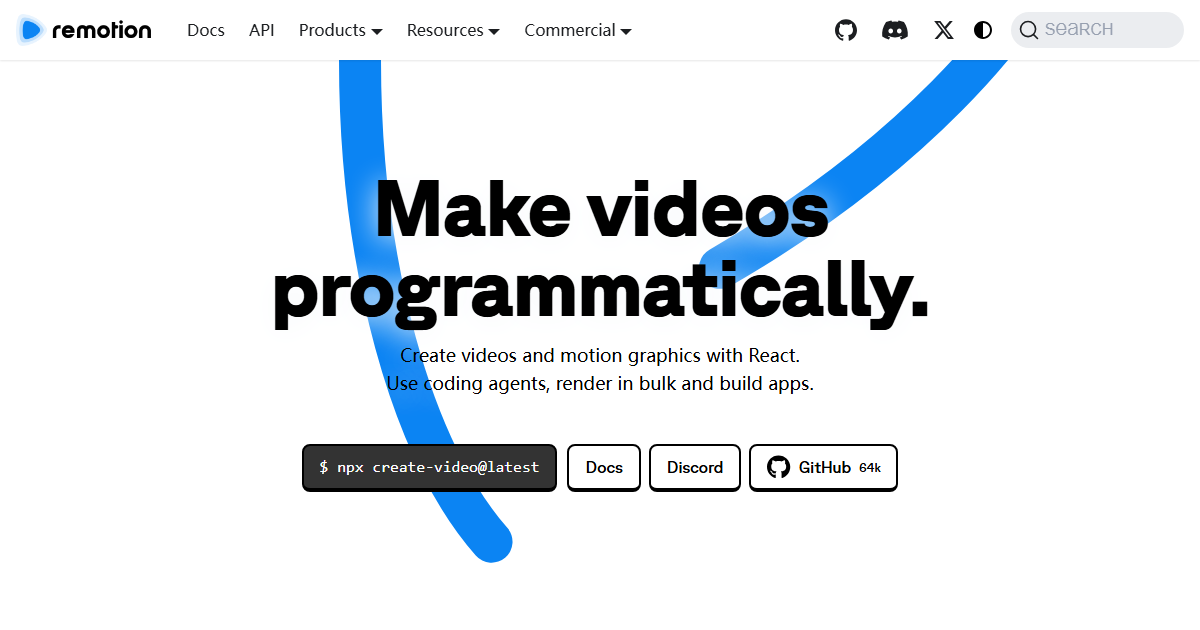
Homepage headline: “Make videos programmatically. Create videos and motion graphics with React.
Use coding agents, render in bulk and build apps.” Install line: npx create-video@latest.
Header links list the full product surface — Docs, API, Products (Plugins, Player, Lambda,
Editor, Starter, Timeline Recorder), Store, Commercial License + Pricing, Success Stories,
Experts, Investors — and the GitHub badge reads 64k.
Three workflows, one source of truth
The site presents three entry points and states the rule that connects them: “Code is always the source of truth.”
| Workflow | What the site says |
|---|---|
| Agent | “Make videos agentically — turn your idea into a video using your coding agent” (Agent Skills, Plugins) |
| Studio | “Make videos interactively — edit and animate with drag and drop and save back to code” |
| API | “Make videos programmatically — connect data and manage complexity with code” |
Underneath, the capability list is: parameterization, motion design systems, batch rendering (“render millions of videos on your own infrastructure”, server-side and client-side), and applications (publish a simple tool or a full video editor via Player, Editor, Starter). The showreel on the page includes a live demo where reordering cards and toggling dark mode re-renders the video in front of you.
Pricing published 2026-10-16 (the reason to re-check this page)
| Tier | Published terms (2026-10-16) |
|---|---|
| Free License | individuals and companies up to 3 people: all features, unlimited commercial use (terms apply), must upgrade when the organisation grows, no sign-up needed to start |
| Company License | required for collaborations and companies of 4+ people: pay according to usage, prioritised support, $250 Mux credits for new Mux customers |
| Remotion for Automators | build video-creation tools: $0.01 per render, $100/month minimum (page shows “10,000 renders = $100”) |
| Remotion for Creators | separate creator tier listed on the same page |
The seat threshold — free at three, paid at four — is the single most decision-relevant number here, and it is why this page’s recorded price line (“free for individuals and small teams; paid company licensing”) stays accurate while needing that threshold spelled out. The $0.01 per render automation tier matters for a different reader: someone embedding batch video generation is billed per render with a monthly floor, which you should model against your expected volume before committing.
What to verify before you commit
- “Render millions of videos on your own infrastructure” is a claim about Lambda and the self-hosting path; it presumes your AWS account and your rendering budget, not an all-inclusive hosted quota. Read the Lambda docs’ cost model first.
- The free tier’s growth clause (“must upgrade when your organization grows”) means headcount, not revenue, is the trigger — plan the moment you hire a fourth person.
- Agent Skills and Plugins are the newest surface on the page; if your workflow is agent-driven, check which Remotion features the shipped skills actually cover rather than assuming the whole API is exposed.
Source note: headline, workflow descriptions, capability list and the full pricing table above were read from remotion.dev on 2026-10-16. No video was rendered for this entry; the frontmatter price line and its check date remain the verified summary, and this section is the detailed expansion of it.